Component: TV_Mon_Select
Description
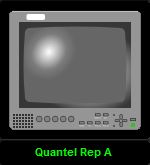
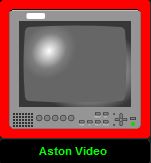
This component was designed for Wood Norton Studio C where some instant switching of SDI video to monitors is required (ie no TAKE button used). Applications include the sound lip-sync selection panel and the vision control precision monitor position. Multiple TV_MON_Select components may be placed on a single user panel. At run-time the user taps the monitor icon make that instance the active control destination. This is indicated by a narrow colour border around the monitor icon. The active and inactive colours are set by statesheets chosen by the panel designer. When a component is selected, it sends a message to it's host that can be forwarded to other components causing them to deselect their active operation state.
This version of the component uses a single level matrix which is switched. The instance data field of the host "script" component must contain an entry in instances.xml that has both the video matrix driver ID and the destination crosspoint defined. The instance data is passed (by the script of this component) to the UMD component, which registers for it's own revertives from the video driver. After the router crosspoint command has been issued, a message is passed to the host that can be used to clear the highligght on the source selection panel. There is a short delay before th message is sent to allow the operator to see a momentary highlight on the source selector.
The component size 152 x 166 pels.
Commands
| Name |
Type |
Use |
| instance |
mandatory |
An entry in instances.xml that identifies the video device ID and the destination crosspoint id. |
| offState |
mandatory |
Name of statesheet that sets monitor surround colour when control is active. |
| onState |
mandatory |
Name of statesheet that sets monitor surround colour when control is inactive. |
| sourceID=value |
command |
Tells the component which video source id to route to the active destination. |
| clear=1 |
command |
Tells this instance of the component that another instance has become the active destination, and this instance should ignore sourceID messages. |
Notifications
| Name |
Use |
| clear=1 |
Forward this notification to other instances of the component to tell them to deselect themselves. |
| setindex=-1 |
Forward this notification to other name grids or other source selection grid to clear down the highlighted button. |
Stylesheets
The UMD component requires a specific statesheet be available called WN_Mtx_UMD.
| Name |
Use |
|
See commands offState and onState. |
Developers Notes
There is an equivalent component TV_Mon_Select that works with the SDI source selector rather than the package selector.
Andy Woodhouse, BBC Academy
|
